Target readers: indie developers and solo founders who want to use AI to go from idea to launch faster Length: ~2,600 words
Introduction
For indie developers and solo founders, the biggest enemies are always limited time, endless decision fatigue, and the mountain of work piling up. By 2026, AI tools are no longer a nice-to-have toy—they’re a core lever for boosting output.
But most solo developers are stuck in the same trap: they’ve loaded up a pile of AI tools, yet they don’t have an end-to-end workflow that ties it all together. An idea pops up, it gets dumped into ChatGPT for brainstorming. Time to code, open Cursor. Need docs, go to Claude. The tools get plenty of use, but the various stages—idea validation, requirements, development, testing, documentation, and launch marketing—are all disconnected. The result: tons of wasted time, uneven output, a graveyard of half-finished MVPs, and launch dates that keep slipping.
Over the past year, I’ve refined a fully AI-assisted, repeatable workflow built specifically for indie product creators. It covers the whole pipeline: idea validation, product planning, development and coding, testing and refactoring, documentation, and launch marketing. This workflow has cut my complete product iteration cycle by 65%, removed a huge number of meaningless decisions, and let me ship 3 usable MVPs while still working part-time.
This post isn’t about empty theory—everything here is what I actually use day to day. It includes copy-paste-ready prompts, tool combinations, and time allocation, and it also honestly covers the limitations of this system. Below, I’ll break it down stage by stage.
Workflow Overview
Before we get into the step-by-step details, let’s look at the complete 2026 indie-product AI workflow. It defines the goal, tools, and time share for each phase of a project, so no stage gets sloppily skipped.
| Stage | Core Goal | Main AI Tool | Time Share |
| 1. Idea Validation | Kill bad ideas early, confirm real user pain points and demand | Claude / ChatGPT / Grok | 10% |
| 2. Requirements & Planning | Turn a vague idea into a PRD, feature list, and MVP roadmap | Gemini | 15% |
| 3. Development & Coding | Build fast and clean, cut repetitive boilerplate code | Codex | 40% |
| 4. Testing & Refactoring | Fix bugs, optimize performance, guarantee code quality | Claude | 15% |
| 5. Documentation | Produce high-quality README, technical docs, and API docs | DeepSeek | 10% |
| 6. Launch & Early Marketing | Produce launch copy, analyze early user feedback, get initial traffic | Claude | 10% |
For each section below, I’ll give you practical methods, copy-paste prompts, and the hard-won experience I’ve accumulated as a solo developer.
Stage 1: Idea Validation — Kill Bad Ideas Before You Build
The biggest time sink for indie developers is pouring effort into solving a problem nobody actually has. In 2026, with AI, you can run a round of idea validation in 30–60 minutes instead of spending weeks on manual research. The core of my validation process is counteracting the human brain’s natural optimism bias and quickly digging out real user pain points.
I mainly use Grok for idea validation (the other two tools get used too, but Grok is the workhorse). Its biggest advantage is that it’ll go out and search for a ton of relevant content on a moment’s notice—and demand research is exactly where you need large amounts of real data. For every new project, I run three rounds of validation. The prompts are directly reusable.
Prompt 1: Play the target user and dig out real pain points
You are a real [target user persona, e.g., a freelance professional running a SaaS, or an indie developer with a side project] with 2+ years of hands-on experience in this field. Objectively evaluate this product idea: [paste your idea]. List 5 real, rarely-spoken pain points this product could solve; list 3 reasons a real user would refuse to use it; then give 2 scenarios where this tool would be completely useless. Be sharp and realistic—don’t just sing its praises. Your conclusions need data to back them up. Finally, go scrape data from Reddit, Quora, Google Trends, and related communities to validate.
Prompt 2: Competitive gap analysis
Analyze the top 5 existing tools in [your product’s space]. For each competitor, write out its core strengths, its fatal weaknesses, and the user needs it hasn’t met yet. Then help me sort out 3 differentiated selling points my product can genuinely build, not vague fluff—they need to land at the level of concrete features.
A Real Case
Earlier this year, I wanted to build a pet food recall alert tool that also analyzed historical recall data. My gut said the space was already crowded. After running both prompts above, Grok flat-out rejected the idea. The reasons: 1) Several competitors were already live—Doggo – Dog Food Scanner, Pawdi / Pawl AI / Kibble / Snacco—and all of them were free. 2) This kind of app doesn’t get opened that often, so it’s hard to make money from ads.
A Very Important Note
AI is naturally inclined to please you and is quick to talk an idea up to the skies. My approach: I force every prompt to require sharp, critical feedback, and I always ask it to list the idea’s fatal flaws. If AI can’t come up with 3 obvious weaknesses after two consecutive rounds of questioning, the idea is either too vague or too derivative—drop it.
Stage 2: Requirements & Planning — Turn a Vague Idea into an Executable MVP
A lot of solo founders jump straight into code without writing clear requirements, and the result is an ever-expanding scope and endless rework. This stage turns scattered ideas into a developer-friendly PRD and a minimal feature list. With the Gemini toolchain, going from idea to a finished PRD takes 1–2 hours—before AI, writing this by hand took me 3+ days.
My standard PRD prompt template:
Turn the following product concept [paste idea + the conclusions from the validation stage] into a lean PRD aimed at an indie developer. It should include: 1. The core user problem to solve; 2. The target user persona; 3. The features the MVP must have (no more than 6); 4. Nice-to-have features deferred until after launch; 5. A clear definition of what is explicitly out of scope this iteration, to prevent scope creep; 6. The success metrics for the product launch. Keep it practical and usable—no vague corporate boilerplate.
After the draft PRD is generated, I run one more round of prompts to force feature trimming:
From the feature list above, keep only the features necessary to solve the user’s biggest pain point, delete everything redundant, and output an MVP development order that can be built and launched within one week.
What Must Be Reviewed by a Human
AI is good at organizing content, but it can’t replace product judgment. There are three things I always review by hand: whether the user persona matches reality, whether feature priority is aligned with real pain points, and whether the project boundary is clear. AI tends to auto-add a pile of features to make a plan look complete—I usually cut 20–30% of what it gives me to keep the MVP lean.
Stage 3: Development & Coding — The Core AI-Assisted Dev Workflow
Development takes up 40% of the whole project, making it the heaviest lift—which also means it’s where optimization pays off the most. In 2026 my main combo is VSCode + Codex (Claude is also excellent, but I subscribe to Codex Pro 20X). Compared to using Copilot for coding alone, this combination fits indie products much better.
I don’t write boilerplate code by hand. My fixed flow: hand the PRD and feature breakdown to the Codex context, let it generate modular component code, and explicitly require comments and code that suits solo maintenance—while rejecting over-engineered enterprise architecture.
Feature development prompt:
Based on the attached PRD, implement this feature as a standalone modular component. The code should be clean and complete, with comments, and should fully account for the edge cases of an indie product. Don’t over-engineer. After writing the code, explain the core logic.
Complex logic debugging prompt:
Review this code and evaluate it from the perspective of single-developer maintainability. Flag the places where the logic is confusing, simplify it without breaking functionality, and add comments for any custom business logic.
Practical Tips for Boosting Coding Efficiency
- Maintain a Codex rules file in your project: standardize code formatting; in the MVP stage prioritize readability over chasing extreme performance; don’t pull in unnecessary dependencies. That said, as the work matures, these rules slowly become less critical.
- Don’t dump the entire big project into the context. Split it into independent modules and handle them step by step to avoid a bloated, chaotic context.
- I review every piece of code AI produces, section by section. AI often has logic holes that are hard to spot, and shipping them directly can cause production incidents.
A Real Example
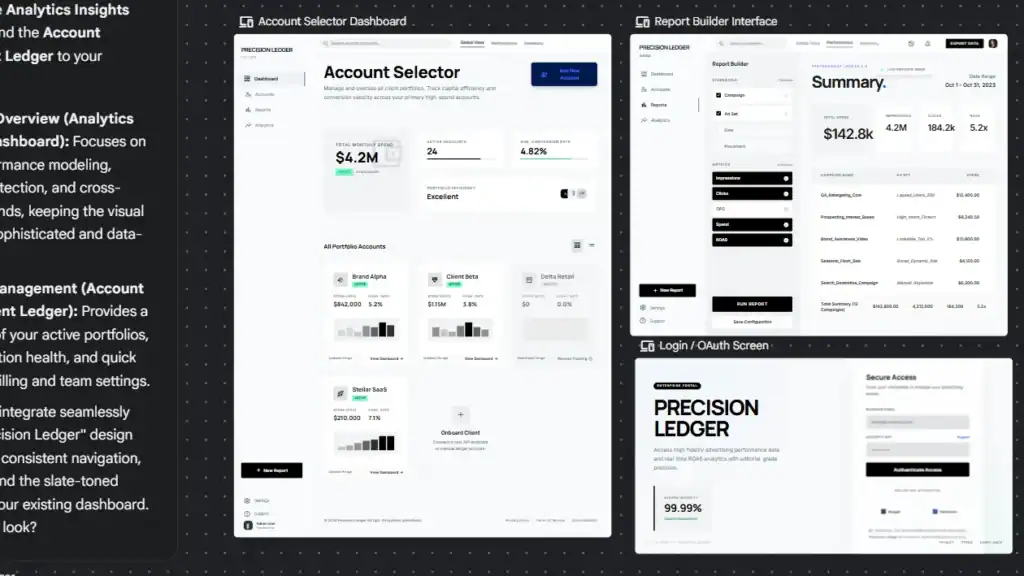
In a recent AI ad-placement and dashboard tool I built, 100% of the front-end components and back-end API logic was generated by AI in 90 minutes. I only had to iteratively optimize two core business-logic spots. Done by hand, the same workload would have taken 3–5 days; with this flow, it was done in half a day.
Stage 4: Testing & Refactoring — Filling the Solo-Dev Blind Spots
Indie developers have no colleagues to do code review, which makes it easy to produce messy, bug-prone code that’s hard to iterate on later. AI fills this gap well, ensuring the MVP is stable and maintainable before launch. In terms of writing various test tools/scripts, I personally think Claude is stronger—with the same prompt, Claude performs best.
Test case generation prompt:
Generate complete unit tests for the code below, covering edge cases. Prioritize finding the bugs that would directly affect users. List the scenarios that currently can’t be covered by tests.
Code review and refactoring prompt:
Act as a senior indie developer and do a code review for me. Check for performance risks, redundant code, security issues, and maintainability problems. Give concrete refactoring steps, and include before/after code examples where possible.
Typical Problems AI Keeps Catching for Me
Unhandled invalid user input, endlessly piling up dead code, and hard-coded parameters that break deployments. Before I used this AI workflow, I’d do most of these small fixes only after launch. Now the vast majority of hazards are handled before release.
Stage 5: Documentation — Professional Docs in Tens of Minutes
Writing docs is the chore indie developers dread most—and the stage where AI’s UX improvement is most obvious. Previously, writing a README, deployment guide, and API docs for a project often took 3+ hours. Now, with DeepSeek, the full set takes about 10 minutes—mainly because it’s cheap, and for documentation it’s honestly not much worse than the rest.
Documentation generation prompt:
Based on the project’s complete code and PRD, write a professional, beginner-friendly README for this indie product. It should include: project intro, installation steps, quick start, core features, API docs, and common troubleshooting. The tone should work for both developers and non-technical users.
How to Keep Docs in Sync with Code
Every time there’s a major code update, I send the changed snippets to Claude and run this prompt:
Update the existing documentation to match this code change. Mark all outdated content and replace it with accurate descriptions.
This avoids the classic pitfall—in many open-source/indie products—where the docs fall out of sync with the code the moment they’re written.
Stage 6: Launch & Early Marketing — AI-Assisted Release for a Solo Project
Plenty of indie developers build great products but fumble the launch copy and user communication, which kills the cold-start. AI can batch-produce high-quality launch materials and quickly parse early user feedback.
Launch copy prompt:
Write high-converting launch copy for my [your product]. Focus on user pain points and real benefits—don’t stack up feature names. Adapt it for Product Hunt and developer communities. Keep the tone sincere, and avoid over-marketing.
Once you get the first batch of user feedback, dump the surveys and comments into AI for analysis:
Analyze this set of user feedback. Sort out the top new feature requests, the points users are most confused about, and the core pain points. Rank them by priority and give recommendations for the next version’s iteration.
My Real Launch Habits
I always spend 1–2 hours manually polishing the copy AI produces—AI-generated content should never be published as-is. I prepare and schedule all launch materials in advance, so launch day never turns into chaos.
My Core Tool Stack Summary
| Tool | Responsible Stage | Paid? | Core Use |
| Grok | Idea validation, planning, docs, marketing | Free | Long-context analysis, structured output, critical idea evaluation |
| VSCode IDE / Codex | Coding, testing, refactoring | Paid | AI-native code generation, in-IDE debugging and review |
| ChatGPT | Quick brainstorming, short-copy polish | Paid | Fast iteration on short text, instant small-problem handling |
| Claude | Testing stage | Paid | Auto-generating test cases, filling in edge cases |
This Workflow: Real Gains and Honest Limitations
The Changes It Actually Made
- Massive time compression: It used to take 2–3 weeks to finish an MVP; now it’s down to 3–5 days.
- Less decision fatigue: Standardized prompts and processes cut down the agonizing at every stage.
- Better product quality: AI review and idea validation reduce the odds of shipping bugs and mismatched requirements.
- Consistent output quality: Every project runs on the same standard, so nothing gets rushed to a sloppy finish.
What AI Can’t Do
AI is an amplifier, not a replacement for founder judgment. AI can only generalize from existing data; it can’t genuinely have user empathy. The risky, creative judgment calls that truly make a product stand out—AI can’t provide those. Long-term product-vision tradeoffs still have to be made by a human. The product’s launch quality and user experience ultimately fall on the founder.
Mistakes I’ve Made
- Trusting AI’s optimistic output completely, nearly building a product with no real demand.
- Deploying AI code without careful review, which triggered a production incident.
- Copy-pasting long AI-generated documents directly, ending up with bloated, opaque, hard-to-read copy.
- Asking AI to implement a vague, oversized requirement all at once—at which point AI just ran wild, usually producing something you didn’t want and wasting tokens.
Core lesson: AI accelerates execution, but it’s your filtering and judgment that determine whether a product succeeds or fails.
Conclusion
In 2026, whether an ordinary indie developer can build a successful product no longer depends purely on coding ability or time available. It depends more on whether you have a reusable AI workflow. The tools themselves aren’t worth much; it’s stringing together idea validation, product planning, accelerated development, rigorous testing, and AI-assisted launch into one pipeline that lets you consistently ship high-quality indie products.
This workflow isn’t a perfect solution, but it’s real and repeatable, built specifically for solo creators with limited time. AI is your 24/7 assistant, researcher, developer, copywriter, and reviewer—but your product vision, your ability to empathize with users, and the final decisions are your core competitive edge.
Feel free to chime in the comments: when building an indie product, which stage drags you down the most? What AI tricks do you use to speed up your launch?
If you’d like to go deeper into this tool stack, check out my other article: [A Guide to Optimizing Claude Prompts for Indie Products].