Short answer: the three free Claude Code alternatives that keep showing up in 2026 are OpenCode (terminal TUI, many providers, local models), Cline (VS Code / JetBrains / CLI with explicit edit and command approval), and Aider (git-native pair programming where every change becomes a commit). The tool is free for all three. You still pay for model inference unless you run a local LLM. If you want the closest “Claude Code-shaped” loop without an Anthropic subscription, start with OpenCode. If you live in VS Code and want to approve every tool call, use Cline. If you want diffs you can bisect, use Aider.
Last updated: October 16, 2026. Grounded in OpenCode, OpenCode download / install, Cline pricing, Aider install, Aider LLMs, Aider + Ollama, and DeepSeek API pricing.
Claude Code is excellent. It is also a paid Anthropic surface with usage windows. A lot of solo founders hit the same fork: keep paying, or switch to an open agent and bring your own model. This post is the practical map for that fork. It is not a “Claude Code is dead” rant. Paid Claude Code still wins on polish for many people. See the paid-tool side of that trade-off in Claude Code vs Codex vs Cursor.
Quick picks
| You want… | Pick | Why |
|---|---|---|
| Closest free terminal agent to Claude Code | OpenCode | MIT-licensed TUI / desktop / IDE extensions, 75+ providers via Models.dev, local models supported |
| Agent inside VS Code with approve-every-step | Cline | Free for individuals; BYOK or Cline-hosted inference; explicit tool approval |
| Every edit as a reviewable git commit | Aider | Thin CLI, automatic commits, strong scripting, Ollama / LM Studio |
| $0 after hardware (no API bill) | OpenCode or Aider + local model | Tool free; tokens stay on your machine |
| Cheapest hosted API key for bulk agent work | BYO DeepSeek (not the smartest, definitely cheap) | Official Flash rates are among the lowest coding APIs; works in Cline and Aider docs |
Comparison table (price, models, local LLM)
| OpenCode | Cline | Aider | |
|---|---|---|---|
| License / cost of tool | Free (open source; optional paid model packs like Go / Zen) | Free for individuals (open source) | Free (open source) |
| Primary UI | Terminal TUI, desktop, IDE extensions | VS Code extension (+ JetBrains / CLI for teams surface) | Terminal CLI |
| Model freedom | Any of 75+ providers + local | BYOK (Anthropic, OpenAI, Gemini, OpenRouter, DeepSeek, …) or Cline provider | Almost any LLM + Ollama / LM Studio |
| Local LLM | Yes (OpenAI-compatible / self-hosted) | Yes (via supported local / OpenAI-compatible providers) | Yes (ollama_chat/…, LM Studio) |
| Safety default | Provider / config dependent | Human-in-the-loop approvals for edits and commands | Git commits = undo surface |
| Best fit | “I want a Claude Code-like agent I can point at any model” | “I live in VS Code and want to see every step” | “I want deterministic, reviewable diffs” |
None of these replace a human merge decision. Treat them like junior contractors with good tools.
OpenCode / Cline / Aider: hands-on notes
I am not going to invent a fake “tool A finished in 4 minutes, tool B in 11” race. Pricing pages and install docs change weekly; timings fake themselves. Below is what each product actually offers, how to install it, where it bites, and when I would pick it for a real indie SaaS repo (Next.js + Supabase + one Stripe webhook).
OpenCode
What it is: an open-source coding agent (terminal first, also desktop / IDE). The product pitch is provider-agnostic: Claude, GPT, Gemini, GitHub Copilot login, ChatGPT Plus/Pro login, and local models. Optional paid lanes exist (OpenCode Go is a low-cost open-model subscription; Zen is curated pay-per-token models). The agent binary itself is free.
Install (terminal client, OpenCode 2):
curl -fsSL https://opencode.ai/v2/install | bash
# or
npm install -g @opencode/cli
cd /path/to/your/project
opencodeIn the TUI, use /connect to attach a provider. For a local OpenAI-compatible server (Ollama, LM Studio, vLLM), point OpenCode at that endpoint per their self-hosted docs. Do not install OpenCode 1 and 2 side by side under the same opencode command without reading the migrate notes.
Pitfall: treating “free models included” as “infinite Opus-quality for $0.” Free tiers and local models are real. They are also weaker on hard multi-file refactors. Budget time for babysitting.
When I would pick it: I want one terminal agent I can point at Anthropic today, DeepSeek tomorrow, and a local Qwen on a laptop when I am offline or under NDA.
Cline
What it is: an open-source coding agent that lives in your IDE (VS Code is the common path). Edits and terminal commands go through an approval UX. Individuals: tool is free; you pay inference only (BYOK or Cline’s own inference credits). Their pricing page lists DeepSeek among supported providers.
Install: install the Cline extension from the VS Code Marketplace, open a workspace, add an API key (or Cline credits), start a task in the Cline panel.
Pitfall: IDE-bound friction. On large remote workspaces the extension can feel heavier than a bare terminal agent. If your daily flow is SSH + tmux with no editor UI, OpenCode or Aider will hurt less.
When I would pick it: I want to see the plan and approve every rm, npm install, and multi-file edit. That matches how a lot of vibe-coders stay safe before they harden the app with a security checklist.
Aider
What it is: terminal pair programming that treats git as the control plane. Changes land as commits you can review, revert, or bisect. Install is Python-based; models are BYO including DeepSeek, Anthropic, OpenAI, Gemini, Ollama, LM Studio.
Install:
python -m pip install aider-install
aider-install
cd /path/to/your/project
Cheap hosted start (DeepSeek, from Aider’s own examples):
aider --model deepseek --api-key deepseek=<key>Local Ollama start:
export OLLAMA_API_BASE=http://127.0.0.1:11434
OLLAMA_CONTEXT_LENGTH=8192 ollama serve   # other terminal
aider --model ollama_chat/<model>
Aider’s docs warn that Ollama’s default context is tiny and silently truncates. Raise context (OLLAMA_CONTEXT_LENGTH or model settings) or you will debug “why did it forget the file I just added” for an hour.
Pitfall: weaker models fail at edit format, not chat. The model may dump a full file into the transcript and Aider cannot apply it cleanly. That is a model capability problem, not “Aider is broken.” Use a model that ranks well on Aider’s leaderboard for editing.
When I would pick it: CI-friendly loops, scripted refactors, and any repo where “show me git log -p” is how you review AI work.
Cheapest setups (BYO API key, local models)
Setup A: $0 / month after hardware
- Tool: OpenCode or Aider
- Model: local via Ollama / LM Studio (pick a tool-calling capable coder model; tiny 3B toys will thrash)
- Cost: electricity + your time
- Honest limit: slower than hosted frontier models; fine for NDA work, learning, and small diffs
Setup B: cheapest hosted API (tool free)
- Tool: Cline or Aider (both document DeepSeek)
- Model: DeepSeek Flash via API. Official pricing (as of this writing): off-peak $0.15 / 1M input (cache miss), $0.003 / 1M input (cache hit), $0.60 / 1M output; peak hours are double. That is not the smartest coding model in the market. It is one of the cheapest ways to keep an agent looping on boilerplate, tests, and docs.
- Cost: usage only, no agent seat fee
Setup C: hybrid (what most indies actually do)
- Hard reasoning / architecture: Claude Code or a strong model inside OpenCode / Cline (pay when it matters)
- Bulk text, draft tests, changelog, SEO outlines: DeepSeek or local
- Token hygiene still matters either way. If your agent is burning context on fat MCP lists and a 400-line instruction file, fix that first with reduce Claude Code token usage patterns (clear sessions, slim instructions, fewer always-on tools). Those habits transfer to OpenCode / Cline / Aider.
Other “free-ish” lanes (not the focus of this post)
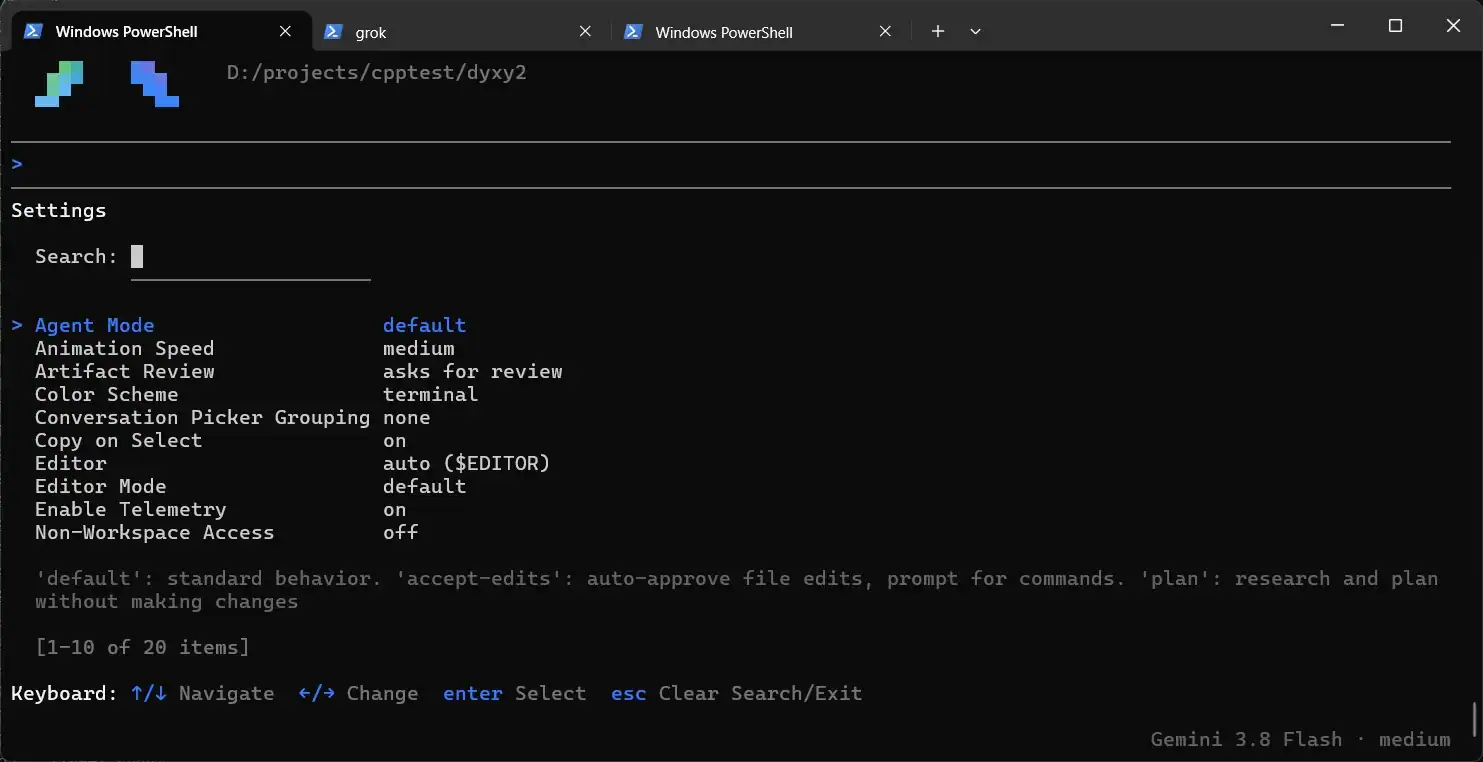
Gemini CLI and free tiers of Copilot / Cursor lower the barrier if you want a managed binary instead of an open agent. They are different products. Keep them on the shortlist if you refuse to manage API keys. Media below is a Gemini CLI settings shot (agent mode) for readers comparing that path.
When paying for Claude Code is still worth it
Pay (or keep paying) when:
- You are shipping under a deadline and the open stack keeps asking you to re-prompt, re-approve, or re-apply edits.
- Context and planning quality matter more than seat cost for that week (large refactors, unfamiliar codebases).
- Your time rate is higher than the subscription. Hitting a weekly limit is annoying. Burning two evenings fighting a weak local model is more expensive.
Skip or pause Claude Code when:
- You mostly need boilerplate, tests, and docs and a cheap API key covers it.
- You need air-gapped / NDA-safe local inference.
- You already have strong model access elsewhere (ChatGPT Pro, Gemini, Copilot) and OpenCode / Cline can reuse it.
For the full paid-tool comparison (Claude Code vs Codex vs Cursor), use the October 2026 solo-dev comparison.
FAQ
Are OpenCode, Cline, and Aider really free?
The open-source agents are free to install for individual use. You pay the model provider (or run local hardware). Cline’s own site says individuals pay inference only, with no seat fee on the open-source path. OpenCode offers optional paid model products (Go / Zen) on top of the free agent.
Can I use Claude models inside these tools?
Yes for OpenCode and Cline if you bring an Anthropic key (or a gateway that exposes Claude). Aider documents Anthropic / Sonnet as well. That is “Claude model + open harness,” not “Claude Code the product.” You lose Claude Code-specific UX and limits; you keep model quality if your key allows it.
Which one is best for a non-technical founder?
Cline inside VS Code, with approvals left on, plus a strong model. Terminal-first tools assume you are comfortable in a shell. When you are ready to ship, run the vibe-coded app security checklist before you put real users on it.
Will a local model replace Claude Code?
For many small edits, yes enough. For hard multi-file design work, usually not yet. Use local for privacy and $0 loops; keep a strong hosted model for the painful 20%.
How do I keep costs down after I switch?
Same playbook as Claude Code: short sessions, slim project instructions (AGENTS.md / tool-specific files), fewer always-on MCP servers (see the MCP servers worth keeping), and a cheap model for bulk work. DeepSeek is the budget hosted lane I reach for first when quality can be “good enough.” Measure before you optimize.
1 thought on “Free Claude Code Alternatives: OpenCode vs Cline vs Aider (Tested on a Real Project)”